Introducing Tensormesh Beta 2.2: Serverless Inference & $0 Cached Input Tokens

Tensormesh is an AI inference optimization company that never charges you twice for cached tokens, making AI applications faster and dramatically cheaper to run anywhere.
We are excited to announce the release of Tensormesh Beta 2.2. You can now run LLMs through a simple API call with zero infrastructure to manage and cached input tokens are completely free.
We have also added auto scaling to on-demand deployments, shipped a Python SDK and CLI for developers, and launched interactive demos so you can watch our KV cache technology reduce latency in real time.
If Beta 2 gave you one-click deployment, Beta 2.2 gives you zero-click inference.
Ready to try it? Access the platform at app.tensormesh.ai and join our Slack community to chat with the team directly.
1. Serverless Inference — Call an API, Skip the Infrastructure
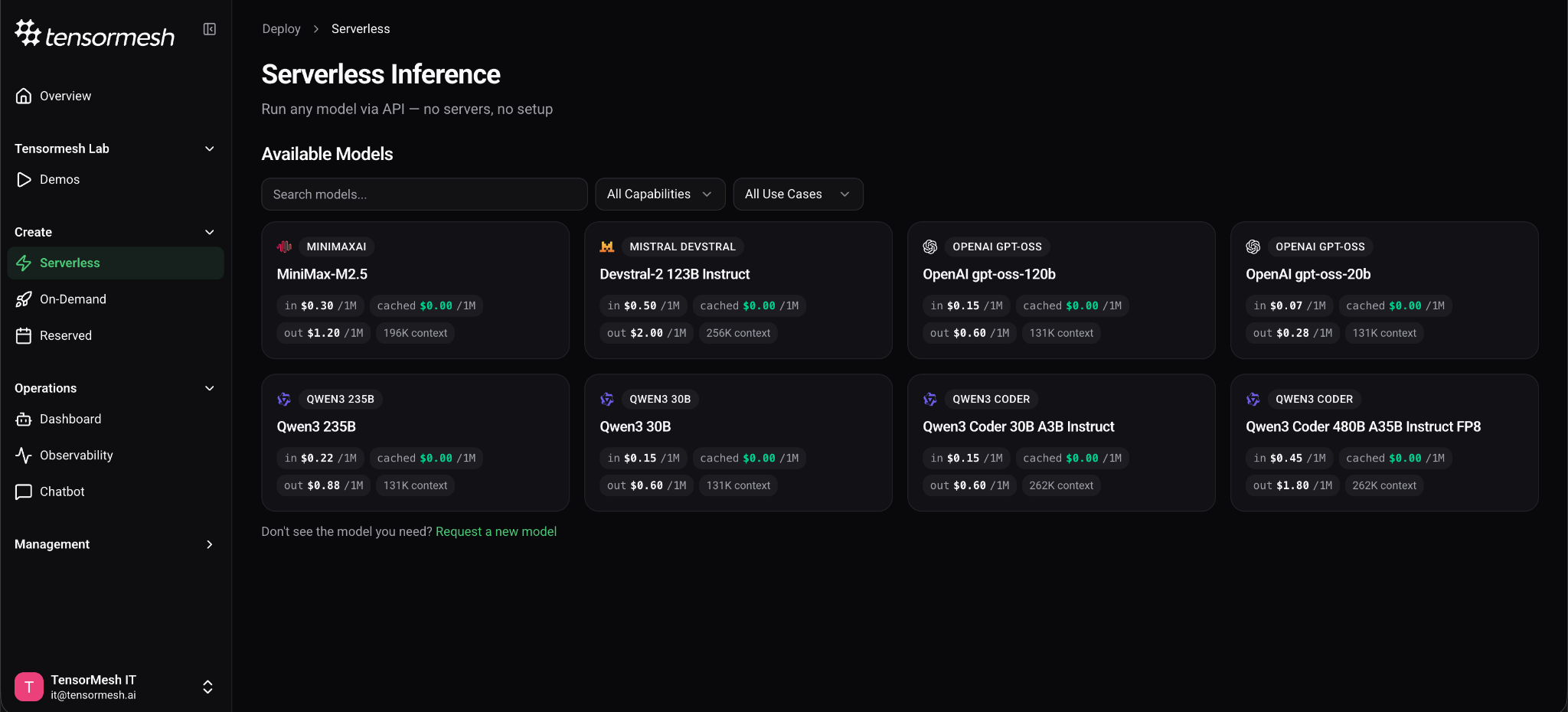
This is the update we teased in our Beta 2 roadmap, and it changes how you get started with Tensormesh. Serverless inference lets access a working LLM endpoint in under a minute — no GPU selection, no provisioning, no configuration screens. Just pick a model and call the API.
What does this mean for you?
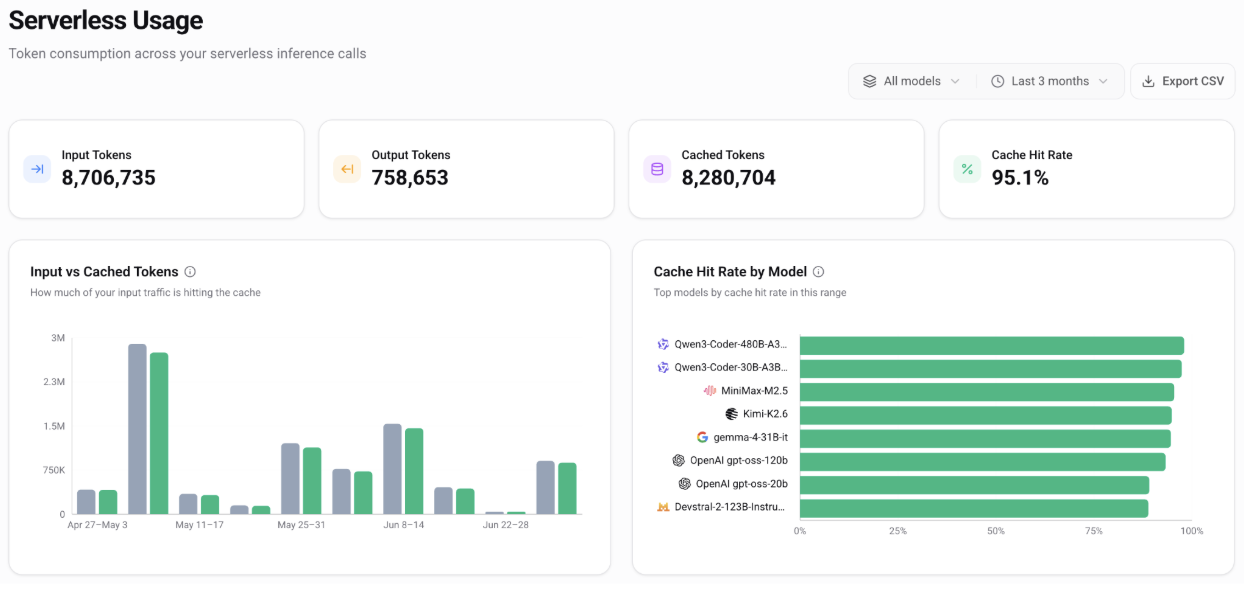
Serverless inference means you send an API request and get a response. Tensormesh handles all the GPU provisioning, scaling and caching behind the scenes. You never touch infrastructure, and you only pay for the tokens you actually use which are not in the cache. If on-demand deployment is like leasing a car, serverless is like calling a ride — you say where you are going, it takes you there, and you pay for the trip. You can compare it to how you access ChatGPT or Claude → through the OpenAI API interface.
The serverless API is OpenAI-compatible, so if you already have code built for OpenAI's chat completions format, you can point it at https://serverless.tensormesh.ai, provide your Tensormesh API key, and it works. No code rewrite required.
We are launching with 8 serverless models spanning coding, reasoning, agentic workflows, and general chat — including Qwen3-Coder-480B (262K context), MiniMax-M2.5 (196K context), Devstral-2-123B, and gpt-oss-20b for low-latency, high-throughput workloads. You can browse the full catalog with capability and use-case filters directly in the dashboard under Create → Serverless.
Why serverless matters for your GPU costs:
With pay-per-token pricing, you stop paying the moment you stop sending requests. There are no idle GPU hours, no minimum commitments, and no infrastructure to shut down at the end of the day.
The pricing gets even better when caching is involved. Any time your requests reuse the same context. For example, when every API call includes the same system prompt, or when multiple users ask questions about the same document. Tensormesh recognizes that those input tokens have already been processed and caches them. Cached input tokens cost $0. You only pay for new input tokens and output tokens. Most providers still charge 50% or more for cached tokens.
2. Auto Scaling for On-Demand Deployments
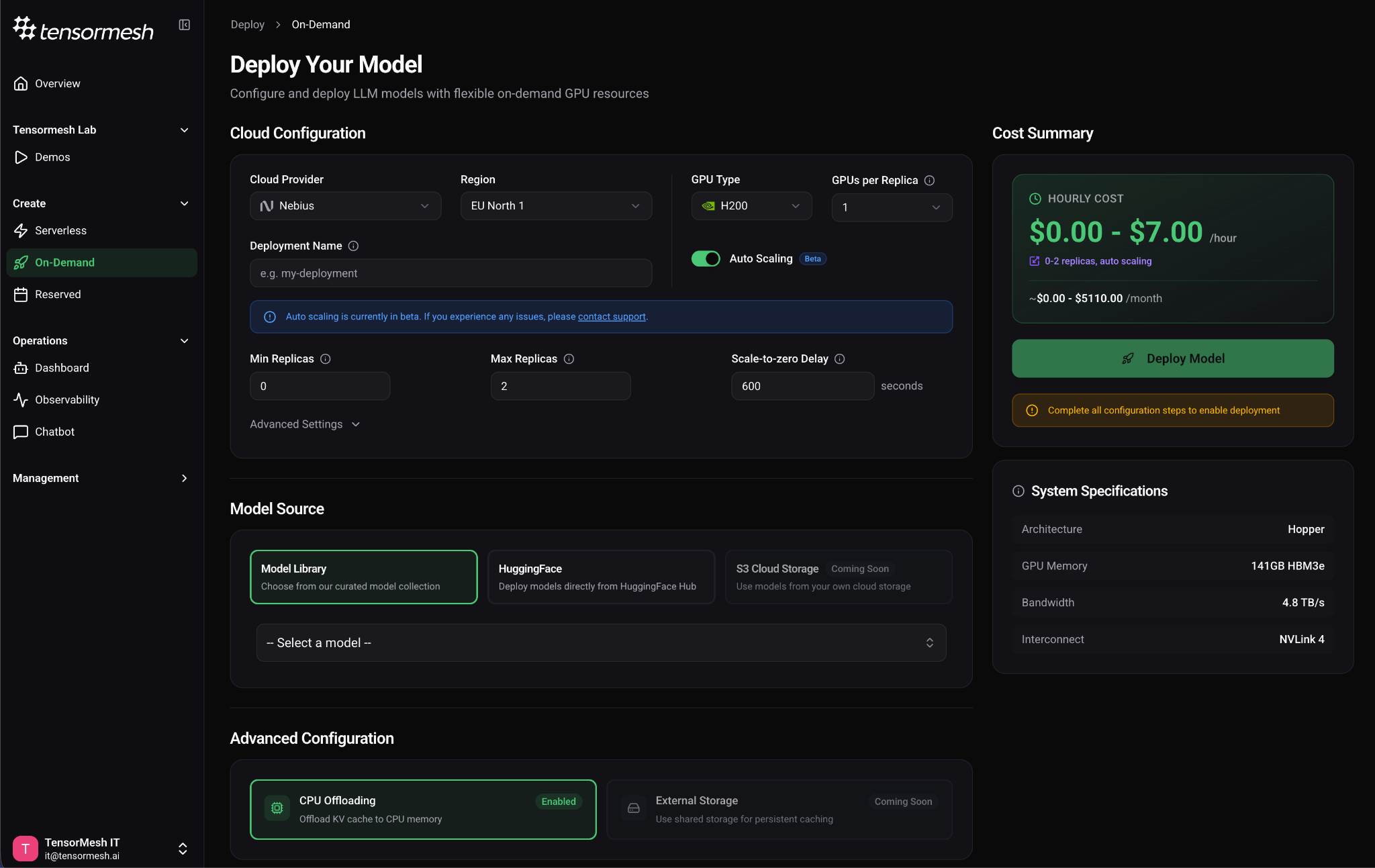
Your on-demand deployments just got significantly smarter about resource usage. You can now toggle between Fixed mode (a static replica count) and Auto Scaling mode when configuring a deployment, letting the platform scale your replicas up and down based on real-time demand.
Why this matters for your costs:
The most powerful setting here is scale to zero. Set your minimum replicas to 0, and when traffic stops, Tensormesh will spin down your deployment entirely with no idle GPU charges. When requests come back, the platform scales up automatically. You configure the stabilization windows to prevent thrashing: how long to wait before scaling up after a spike, and how long to wait before scaling down after load drops.
If you have workloads that are busy during business hours and quiet overnight, auto scaling ensures you are only paying for GPU compute when it is actively serving requests. Combined with our KV cache optimization that reduces redundant compute during active hours, this gives you cost savings on both sides of the equation leading to less waste when you are busy, and zero spend when you are not.
3. Python SDK & CLI — Your Full Developer Toolkit
We have shipped two new tools that bring the entire Tensormesh platform to your code and your terminal.
The Python SDK (pip install tensormesh) gives you a typed, clean interface for both inference and platform management. It ships with synchronous and asynchronous clients that expose the same API, so you can use it in scripts, notebooks, or async production services without changing your code structure. If you are migrating from OpenAI or Fireworks, the SDK includes a dedicated migration guide to help you switch with minimal changes.
The CLI (tm) lets you manage authentication, deployments, billing, metrics, support tickets, and inference directly from the terminal. It is particularly valuable for CI/CD pipelines, automated testing, and production scripting where a GUI is not practical.
# Serverless inference from the terminal in one command
tm infer chat \
--surface serverless \
--api-key YOUR_API_KEY \
--model YOUR_MODEL_NAME \
--json '[{"role":"user","content":"Say hello."}]'
Both tools ship in the same tensormesh Python package and are backed by full interactive API and CLI documentation with an in-browser playground and code examples in cURL, Python, and JavaScript. You can explore every endpoint at docs.tensormesh.ai.
Whether you prefer writing Python or working from the terminal, the full platform is now accessible without opening a browser
4. Tensormesh Lab — Watch KV Cache Acceleration in Real Time
We talk a lot about how KV caching reduces latency and inference costs. Now you can see it for yourself.
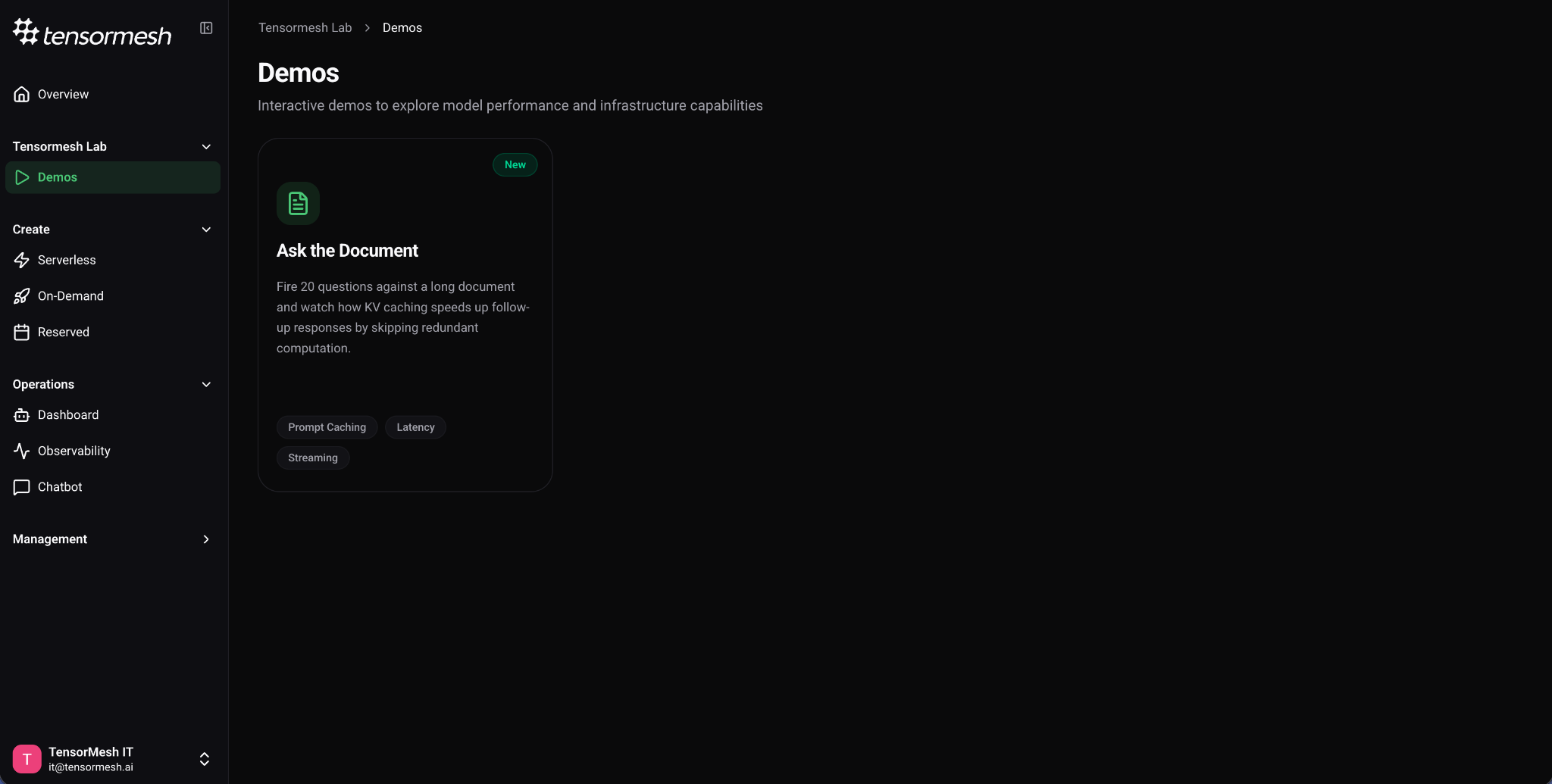
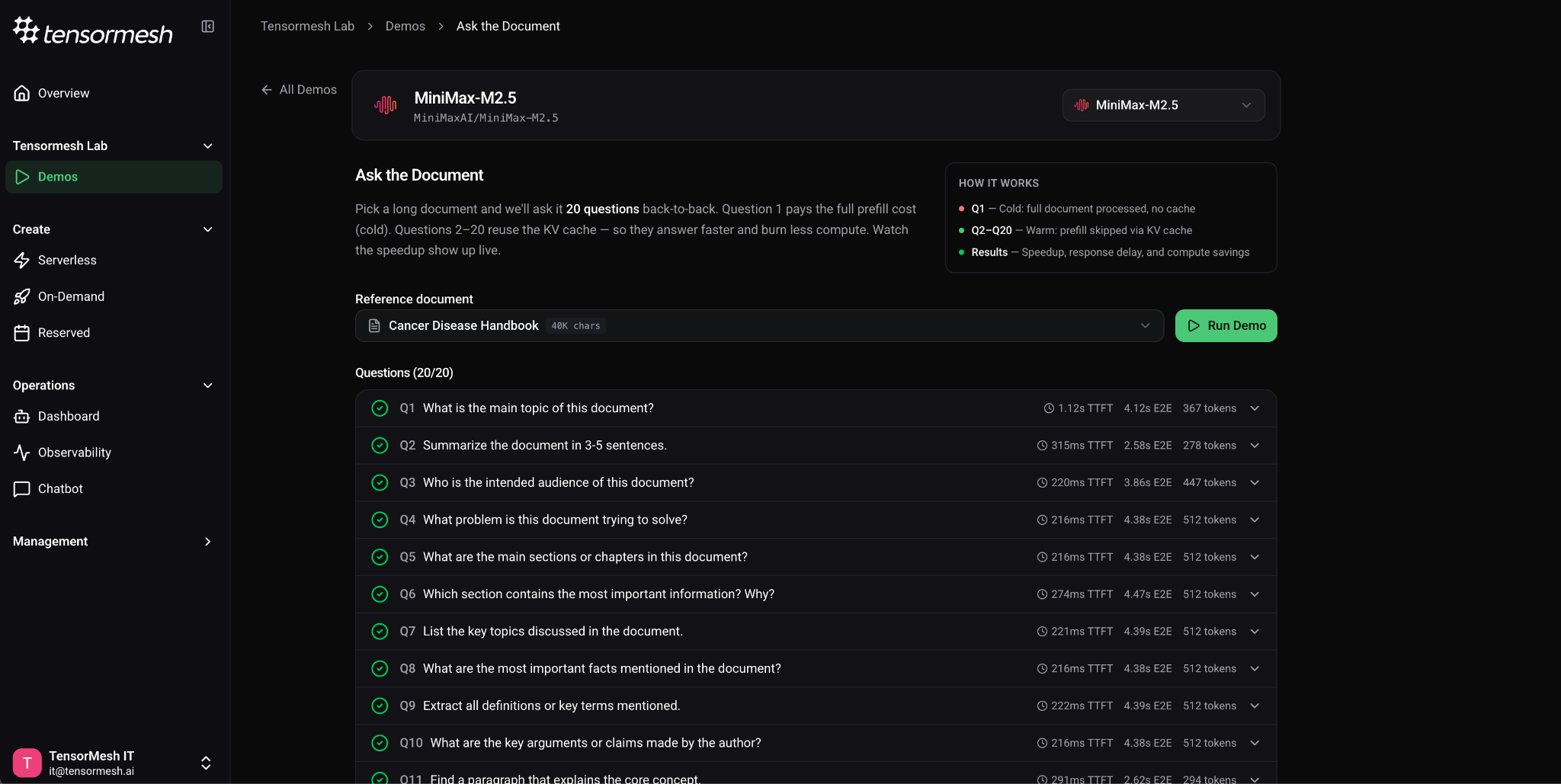
The new Tensormesh Lab section includes interactive benchmark demos you can run against any serverless model with no deployment setup. The first demo — Ask the Document — fires 20 questions against a shared long-document. The first request is a cold start that processes the full context. Every subsequent request reuses the cached KV state and skips the expensive prefill step entirely. You watch the speedup happen in real time across Time to First Token, end-to-end latency, and inter-token latency.
In practice:
Run the same demo across different models to compare how architecture and parameter count affect cache performance. This is the fastest way to understand what Tensormesh's caching technology actually does, and to validate the latency improvements before committing to a production deployment.
5. Platform Improvements
We have also made several updates to give you better visibility and a smoother day-to-day experience on the platform.
Running Requests Metric — A new real-time chart in your deployment metrics dashboard shows concurrent request volume over time. If you are monitoring GPU utilization and KV cache hit rates, this adds the missing piece: exactly how many requests your deployment is handling at any given moment.
Quick Actions on the Dashboard — Six quick action cards on your Overview page provide one-click access to your most common operations, cutting down navigation time across the platform.
Email Notification Preferences — You now have control over deployment update notifications. Toggle them on or off from Management → User Profile so you only receive alerts that matter to you.
Support Ticket Attachments — When creating support tickets, you can now attach files directly from logs, screenshots, configuration files, making it faster for our team to diagnose and resolve your issues.
Try Tensormesh Beta 2.2 Today
Whether you want to use a model instantly with serverless, cut idle GPU costs with auto scaling, or build inference into your pipeline with the SDK and CLI, everything is live now in your Tensormesh dashboard.
Are there features you would like us to add to our product? Feel free to let us know!


.png)